
Raspberry Pi 5 4GB Original UK (DB0128) Products
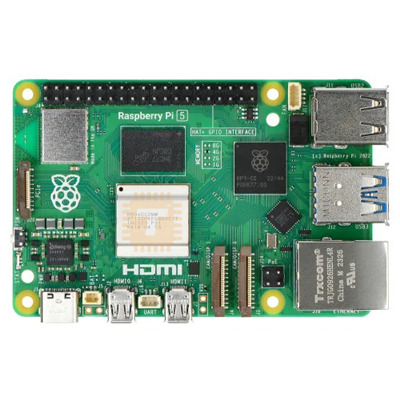
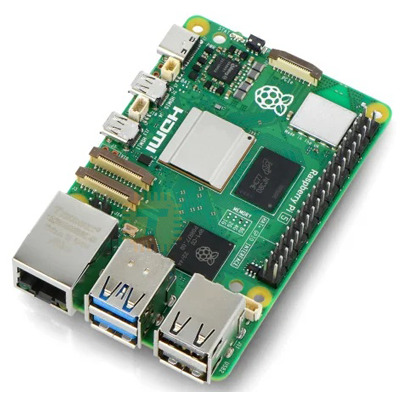
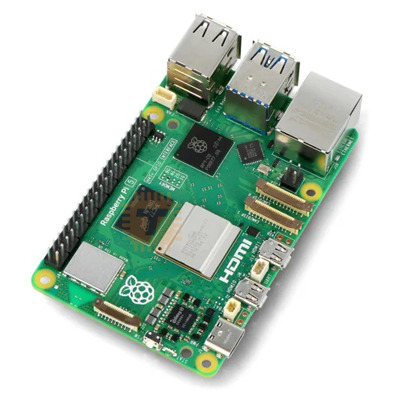
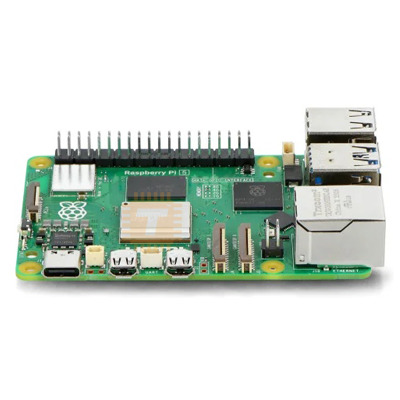
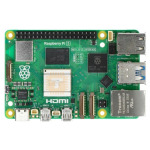
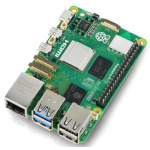
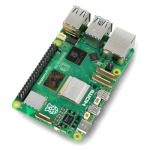
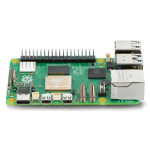
| Name | Raspberry Pi 5 4GB Original UK |
| Code | DB0128 |
| Price | Rs.82,150.00 |
| In Stock | Yes |
| Package | MODULE |
Product Details
Raspberry Pi 5 features the Broadcom BCM2712 quad-core Arm Cortex A76 processor @ 2.4GHz, making it up to three times faster than the previous generation. This is the fastest, smoothest Raspberry Pi experience yet.
Key Features:
- Raspberry Pi 5 is built using the RP1 I/O controller, a package containing silicon designed in-house at Raspberry Pi
- USB 3 has more total bandwidth, for much faster transfer speeds
- Camera and DSI display connectors are interchangeable, so you can have one of each, or two the same
- This addition to Raspberry Pi allows you to connect an M.2 SSD to your Raspberry Pi, giving you speedy data transfer and super-fast boot
- The latest release of Raspberry Pi OS is made to get the most from Raspberry Pi 5. The newest version of our operating system delivers a superb desktop performance, making it an ideal computer for work, leisure, enterprise, and more
Specifications:
- Broadcom BCM2712 2.4GHz quad-core 64-bit Arm Cortex-A76 CPU, with cryptography extensions, 512KB per-core L2 caches and a 2MB shared L3 cache
- VideoCore VII GPU, supporting OpenGL ES 3.1, Vulkan 1.2
- Dual 4Kp60 HDMI® display output with HDR support
- 4Kp60 HEVC decoder
- LPDDR4X-4267 SDRAM 4GB
- Dual-band 802.11ac Wi-Fi®
- Bluetooth 5.0 / Bluetooth Low Energy (BLE)
- microSD card slot, with support for high-speed SDR104 mode
- 2 × USB 3.0 ports, supporting simultaneous 5Gbps operation
- 2 × USB 2.0 ports
- Gigabit Ethernet, with PoE+ support (requires separate PoE+ HAT)
- 2 × 4-lane MIPI camera/display transceivers
- PCIe 2.0 x1 interface for fast peripherals (requires separate M.2 HAT or other adapter)
- 5V/5A DC power via USB-C, with Power Delivery support
- Raspberry Pi standard 40-pin header
- Real-time clock (RTC), powered from external battery
- Power button
Note: A firmware bug has caused some boards to incorrectly report 2GB of RAM. This is not a hardware fault, but a minor issue that can be easily resolved with a firmware upgrade.
If your 4GB board is showing only 2GB (you can check using the free -h command), please follow these steps:
- Use RPi Imager to write the firmware upgrade image to a new MicroSD card.
- Insert the card and power on the board.
- Wait until the green LED starts blinking and the HDMI output screen turns green.
- Power down the board.
- Replace the card with your Raspberry Pi OS MicroSD card, boot up, and check the memory again to confirm it now shows 4GB.
- Finally run the command sudo systemctl mask rpi-eeprom-update in the terminal to permanently avoid firmware update
Sharing is caring, show love and share the product with your friends.
Featured
Add to Cart
Add to Cart
Other Products
Add to Cart
Add to Cart
